Extract Text From
Any Screen Area Instantly
Capture text from images, videos, PDFs, websites, presentations, and any content visible on your screen.
"Success is not final, failure is not fatal: it is the courage to continue that counts."
Why Us
Why Users Love Screen Text Extractor
Works On Images
Extract text from screenshots, scanned photos, and static pictures instantly.
Works On Videos
Capture text from video frames, online tutorial players, and film frames.
PDF Compatible
Extract text from PDF documents, presentations, and online ebooks.
Translation Support
Translate recognized text instantly to overcome global language barriers.
Privacy Friendly
No user tracking, cloud transmission, or data selling. 100% private.
Fast OCR
Quick text recognition powered entirely by local browser processing.
Interface Previews
See Screen Text Extractor In Action
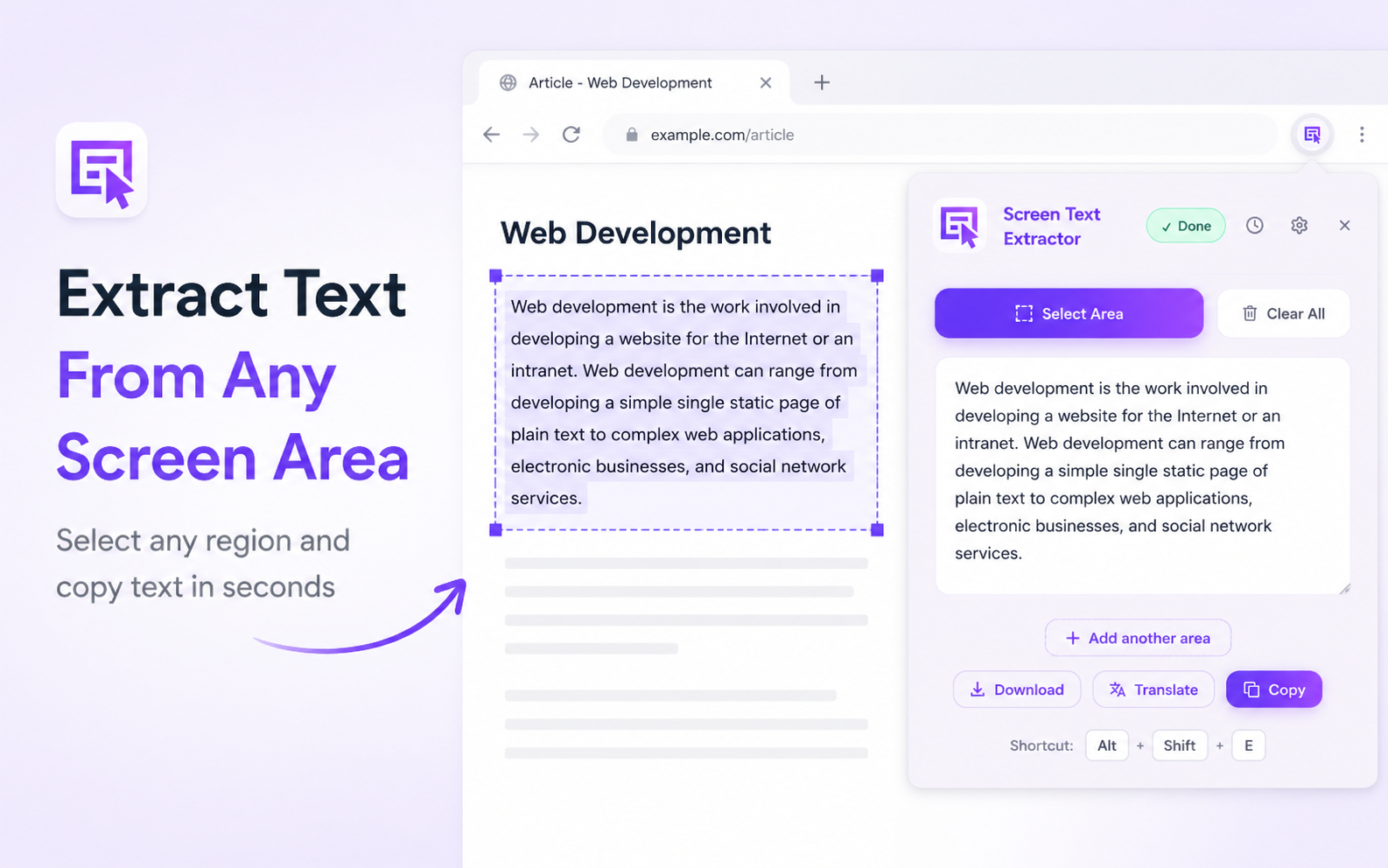
Extract Text From Any Screen Area
Drag a box over any text on your screen to extract it instantly.
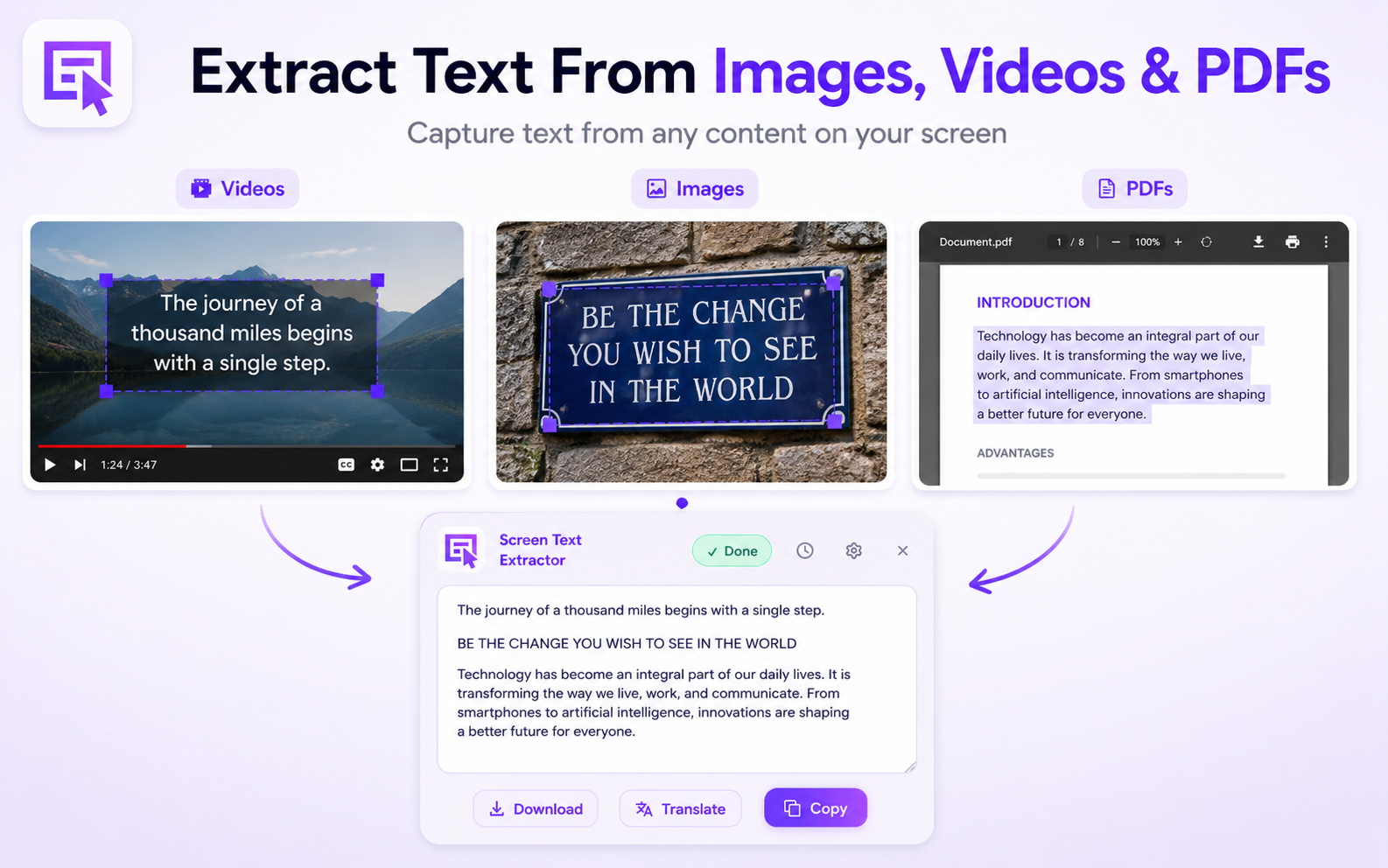
Extract Text From Images, Videos & PDFs
Works on all document formats, video frames, and scanned images.
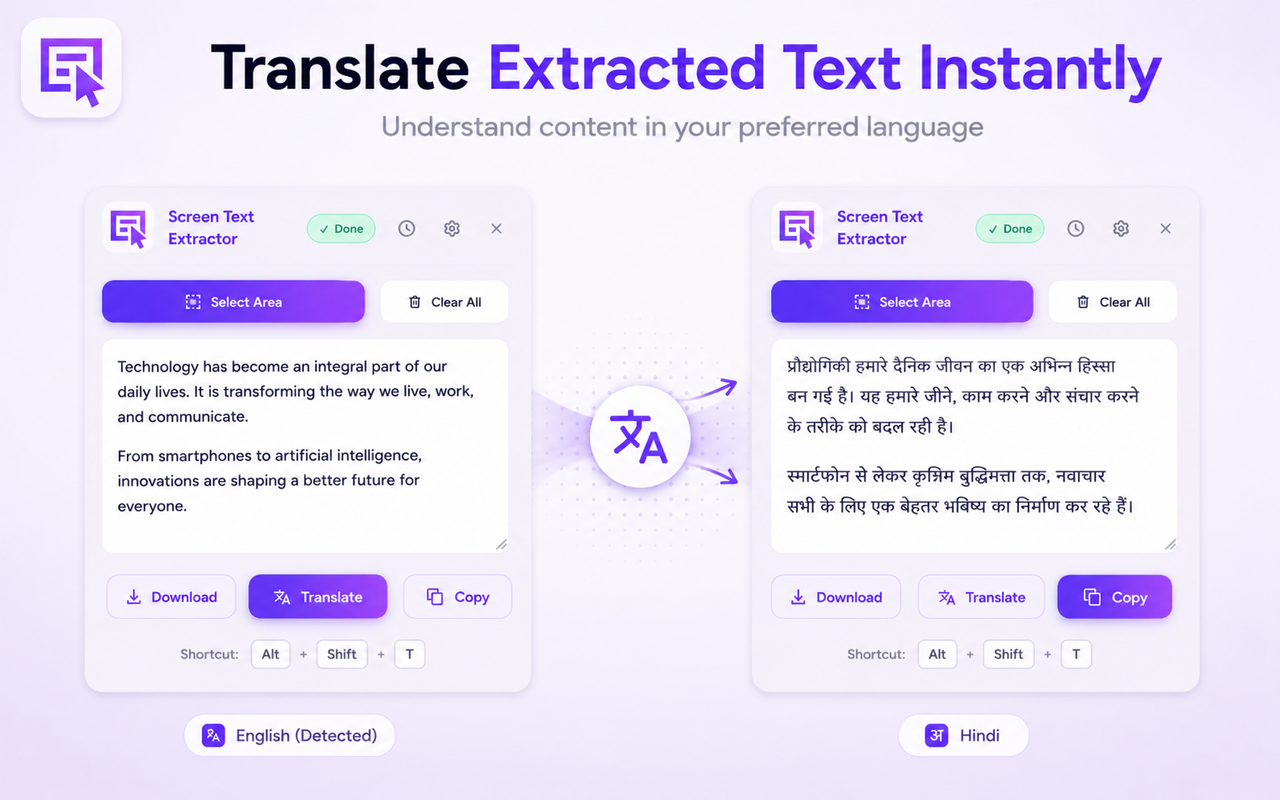
Translate Extracted Text Instantly
Instantly translate recognized text to another language inside the popup.
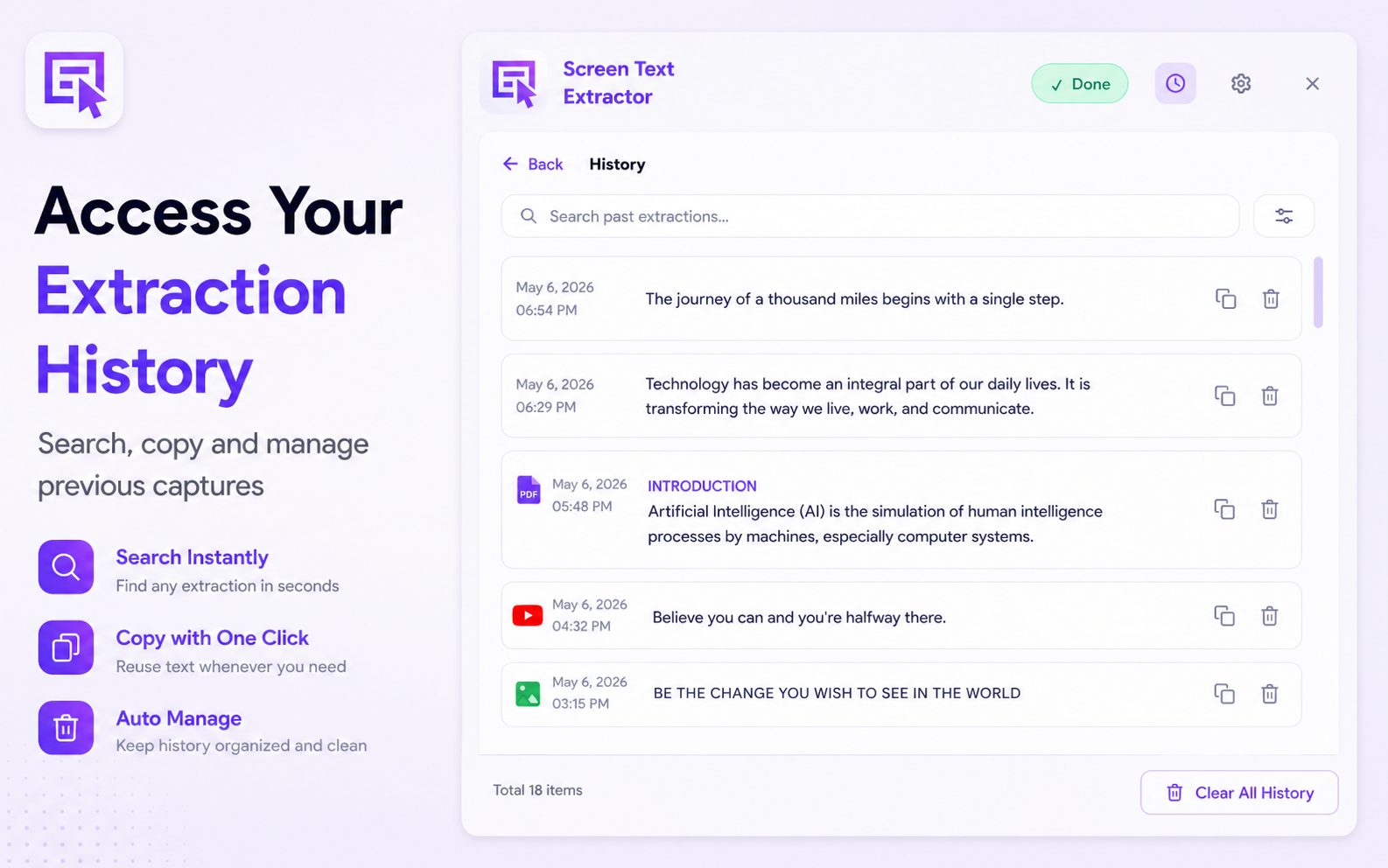
Access Your Extraction History
Browse, pin, search, or clear your locally cached previous extractions.
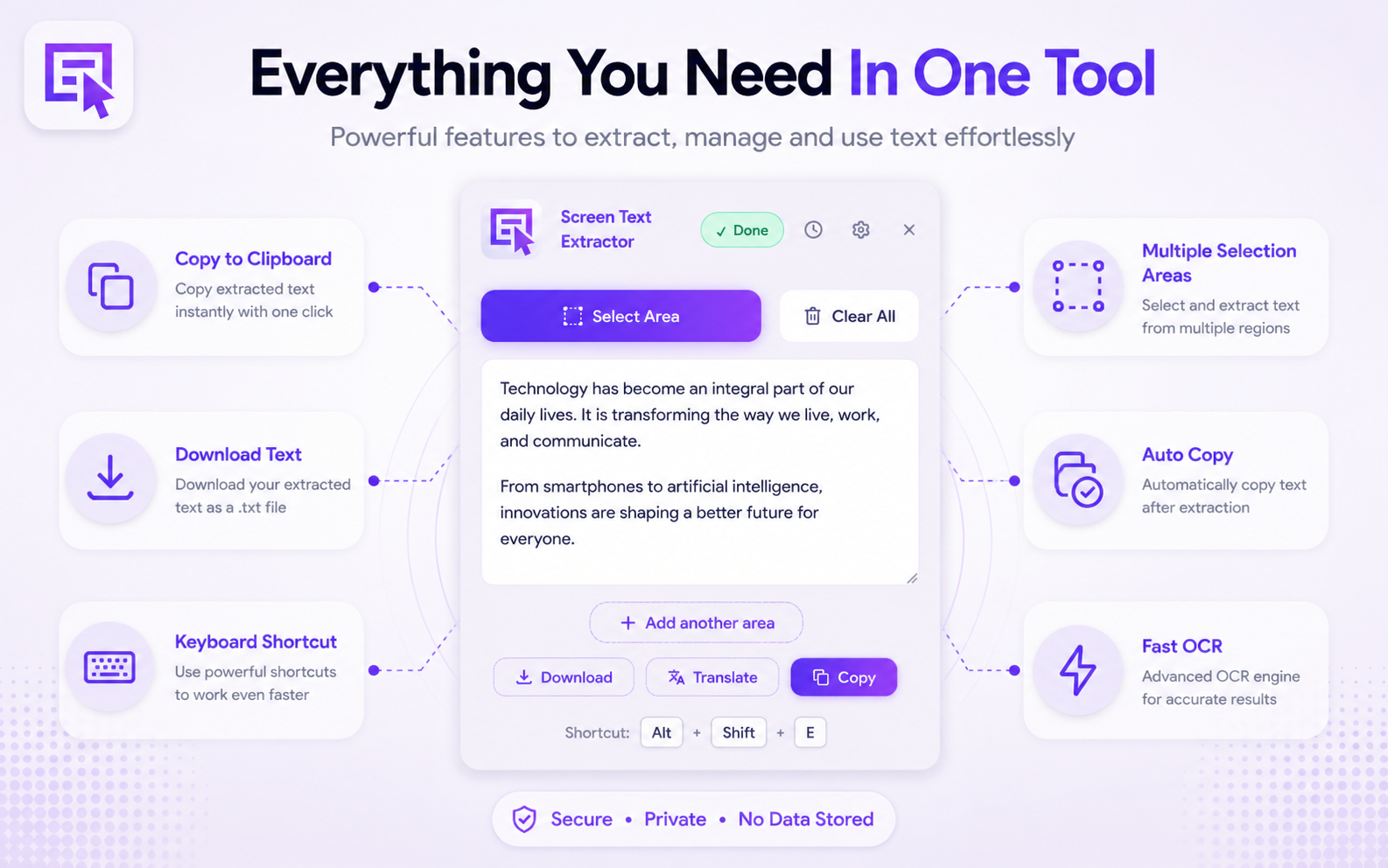
Everything You Need In One Tool
A clean interface packed with smart OCR upscaling and preprocessing tools.
Core Features
Everything You Need In One Tool
Screen Selection
Select and extract text instantly from any screen region.
Fast OCR
Extract text in seconds from any visible content.
Translation
Translate text instantly to overcome language barriers.
Copy to Clipboard
Save time by copying text to your clipboard with a single click.
Download Text
Download recognized text directly as a file for offline use.
History Management
Never lose important extracted text.
Multiple Selection Areas
Multi-task efficiently by selecting and extracting from multiple screen areas.
Keyboard Shortcuts
Fly through tasks with quick, customizable keyboard shortcuts (Alt+Shift+E).
Workflow
How It Works
Select Area
Press the keyboard shortcut (Alt+Shift+E) or click the extension icon, then click and drag to select any text region.
Extract Text
The OCR engine instantly processes the selected selection locally and extracts the visible text.
Copy, Translate or Save
Copy to clipboard with one click, translate to your native tongue, or download the result as a text file.
Comparison
Why Choose Screen Text Extractor?
| Features | Screen Text Extractor | Other OCR Extensions | Default Snipping Tools |
|---|---|---|---|
| Screen OCR | |||
| Translation Support | |||
| Local Processing (Offline) | |||
| Extraction History | |||
| Multiple Selection Areas | |||
| Privacy Friendly (No Sync) | |||
| Keyboard Shortcuts (Alt+Shift+E) |
Standard OCR extensions often send your data to third-party cloud servers for processing.
Designed For Everyone
Perfect For Students, Creators & Professionals
Students
Extract text from e-books, lecture slides, and scanned notes to speed up your study guides.
Researchers
Digitize reference quotes, citations, and snippets from scanned journals and protected PDFs.
Developers
Instantly copy error codes, terminal output, and coding tutorial snippets directly from videos.
Content Creators
Repurpose headlines, captions, and quotes from social images or video subtitles.
Office Workers
Extract data from dashboard reports, invoices, and presentations into spreadsheets.
Online Learners
Capture and save study material from video lectures and presentations without typing.
Translators
Grab text from images or foreign sites and instantly convert it to your native language.
Professionals
Boost daily productivity by bypassing right-click restrictions on text-protected websites.
Common Inquiries
Frequently Asked Questions
Screen Text Extractor is a Chrome extension that lets you select any area on your screen and extract visible text using OCR (Optical Character Recognition).
Yes. You can pause a video on any frame, select the area containing text, and the extension will extract it instantly.
Yes. You can extract text from images, PDFs, websites, presentations, and any other visible screen content in your browser.
Yes. The extension features built-in translation support so you can translate extracted text into your preferred language instantly.
No. The extension is designed to be privacy-first. All OCR processing happens locally in your browser using Tesseract.js. Extraction history is stored locally on your device and is never sent to external servers. You can clear it anytime.
Yes, the extension is 100% free to use. There are no paid lockouts, external subscription costs, or hidden fees.
Start Extracting Text
In Seconds
Join thousands of students, researchers, and professionals who use Screen Text Extractor to speed up their workflow.